On the run in the year of 1987, Bumblebee finds refuge in a junkyard in a small Californian beach town. Charlie, on the cusp of turning 18 and trying to find her place in the world, discovers Bumblebee, battle-scarred and broken.
Director:
Travis Knight
Stars:
Hailee Steinfeld,
Jorge Lendeborg Jr.,
John Cena
Six strangers are given mysterious black boxes with tickets to an immersive escape room for a chance to win tons of money. Being locked in several rooms with extreme conditions, they discover the secrets behind the escape room and must fight to survive and to find a way out.
Microsoft appears poised to widen the reach of its gaming ecosystem, connecting games on iOS, Android, and even the Nintendo Switch to its Xbox Live multiplayer platform.
Sharing achievements, friends lists, and gameplay was the first step toward establishing Microsoft’s gaming ecosystem within the Windows PC and Xbox console. According to Windows Central, Microsoft is preparing to unveil a cross-platform SDK (or XDK) at the Game Developers Conference in March at a special session. That session, once named “Xbox Live: Growing & Engaging Your Gaming Community Across iOS, Android, Switch, Xbox, and PC,” now has been renamed “Xbox Live: Growing & Engaging Your Gaming Community Across Platforms,” and its description scrubbed of the juicy details.
The original site description made the intent clear. “Now Xbox Live is about to get MUCH bigger. Xbox Live is expanding from 400M gaming devices and a reach to over 68M active players to over 2B devices with the release of our new cross-platform XDK,” it said. “Get a first look at the SDK to enable game developers to connect players between iOS, Android, and Switch in addition to Xbox and any game in the Microsoft Store on Windows PCs.”
Windows Central also reports that Microsoft plans to tap its PlayFab tools to track players as they play different games across different platforms.
Tying mobile games to the PC
While we’ll have to wait and see what Microsoft plans to actually bring to the table, the concept doesn’t seem that far removed from the status quo. Microsoft published an Xbox app for iOS in 2013, and another for the Android platform. Both are slightly more limited versions of the Xbox app already on Windows 10, allowing players to view achievements, connect to friends, and see what’s available on the Xbox Store. A similar Game Pass app is also available on both mobile platforms, allowing users to manage Microsoft’s Netflix-like game subscription.
What Microsoft hasn’t done before, though, are two things: extend its apps to the Nintendo Switch, and actually connect iOS, Android, and Switch games to its Xbox Live platform. In theory, that would allow for achievements to be accumulated and shared across all of these platforms, plus the PC and Xbox. In that scenario, it’s possible that one day you’d gain an achievement for playing both Player Unknown’s Battlegrounds (PUBG) on the PC as well as on your phone.
Because the GDC description references games published in the Microsoft Store, it seems less likely that Microsoft wants to track your progress in Nintendo’s The Legend of Zelda: Breath of the Wild then it does in a game that Windows players play, too.
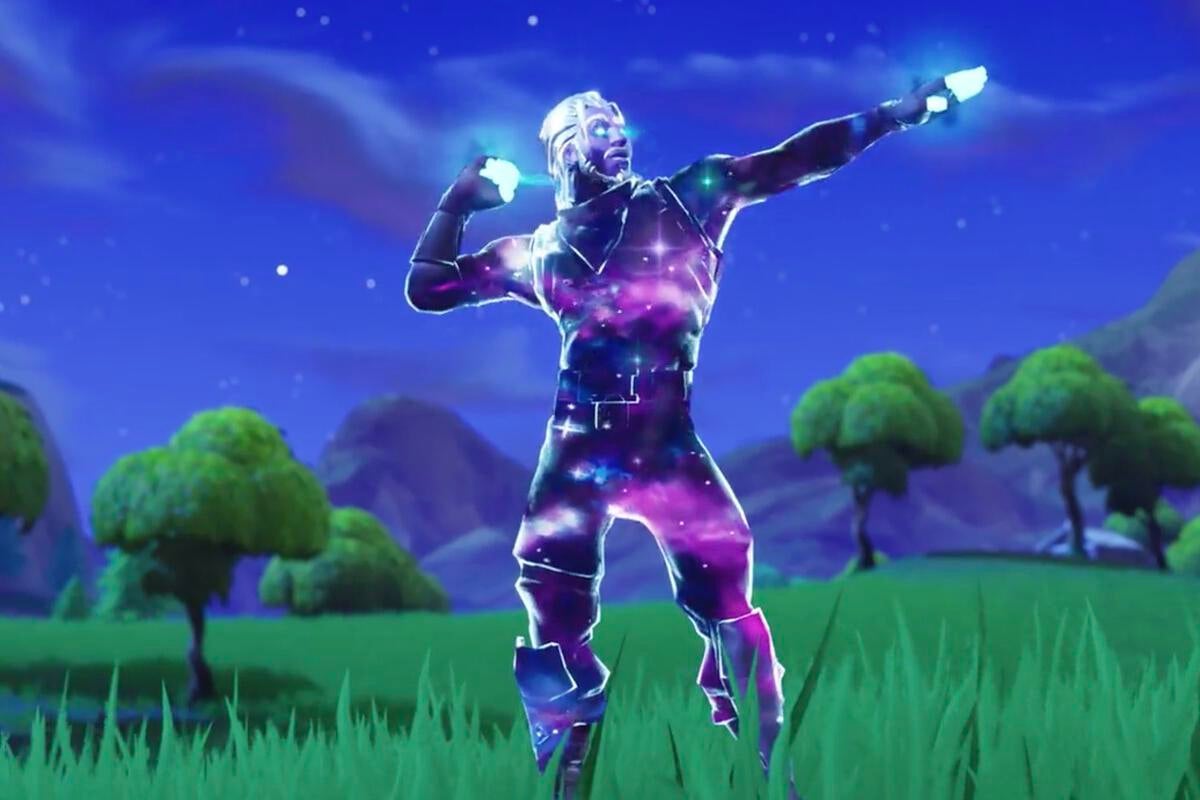
Microsoft seems eager to repeat the success of games that can be played on multiple platforms, including the smash hit, Fortnite, as well as PUBG and Microsoft’s own success story, Minecraft. Right now, though, it seems that less of an emphasis is being placed on crossplay, the ability to play across multiple platforms simultaneously, versus the social aspects of the game. (While crossplay is part of the Minecraft experience, it requires special setup in Fortnite, which allows for cross-play between Sony’s PlayStation 4, the Xbox One, Nintendo Switch, PC, Mac, Android and iOS.)
What this means to you: With Fortnite as a notable exception, few games traverse both the PC, smartphones, and game consoles. Microsoft apparently wants more. A few years ago, Microsoft would have been happy waiting until you got home from work to begin gaming on your PC or Xbox. Now, it seems ready to assist developers who would like you to play a game or two on the bus home.
To comment on this article and other Haveaheartsavealife content, visit our Facebook page or our Twitter feed.
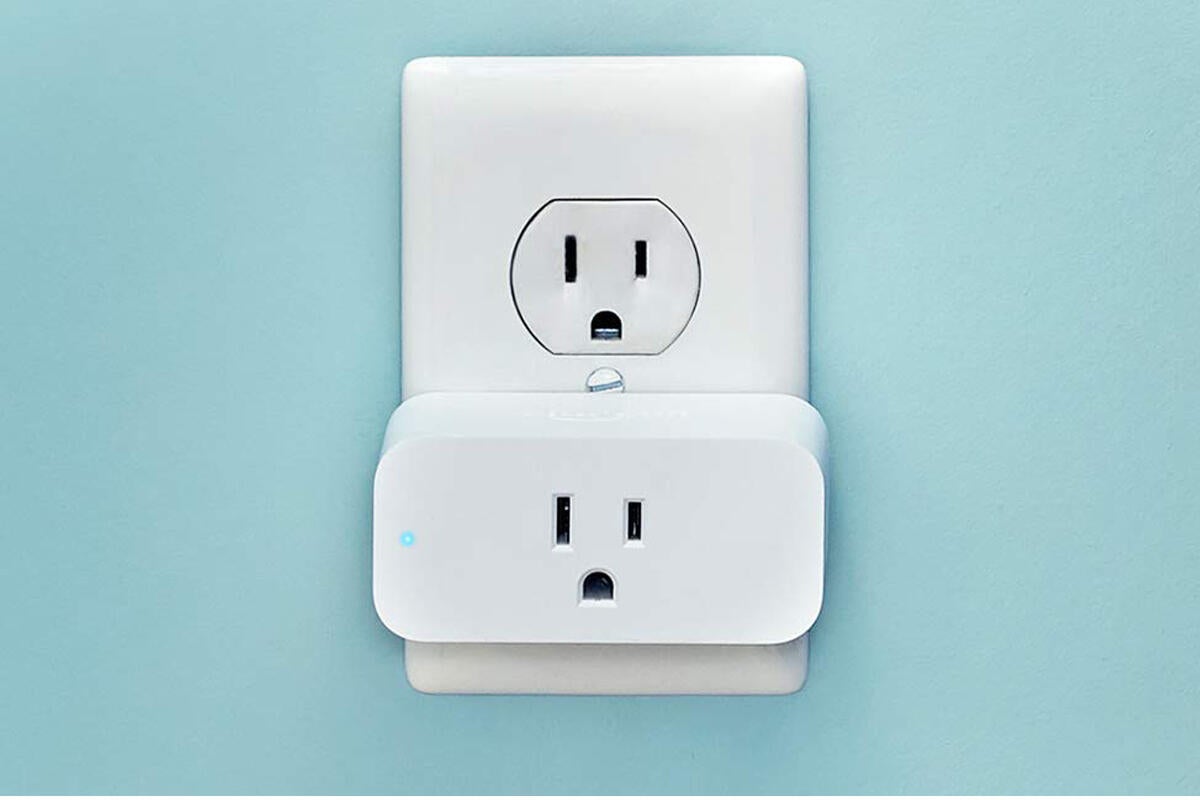
There are lots of Alexa-powered smart plugs out there, but only one made by Amazon. And today it’s down to its best price ever. Normally selling for $25, you can grab Amazon’s Smart Plug for just $15Remove non-product link, beating its previous low by $5.
This sleek smart plug is slender enough that it won’t overlap outlets, so you’ll be able to plug in multiple devices at the same time. Once you connect it to the Alexa app, you’ll be able to control it with an Echo or any other Alexa-enabled device, so you can switch on everything from lamps to coffee makers with just the sound of your voice. You can also use the Alexa app to set automatic on/off schedules around your personal routines.
We haven’t tried this smart plug yet ourselves, but it’s a popular pick on Amazon, with 4.5 stars out of 5 across more than 5,000 user reviews.
[Today’s deal: Amazon Smart Plug with Alexa for $15Remove non-product link]
This story, “Amazon is selling its new Alexa-powered Smart Plug for 40 percent off today” was originally published by
TechHive.
To comment on this article and other Haveaheartsavealife content, visit our Facebook page or our Twitter feed.
Old school magic meets the modern world in this epic adventure. Alex (Louis Ashbourne Serkis) thinks he’s just another nobody, until he stumbles upon the mythical sword in the stone, Excalibur. Now, he must unite his friends and enemies into a band of knights and, together with the legendary wizard Merlin (Sir Patrick Stewart), take on the wicked enchantress Morgana (Rebecca Ferguson). With the future at stake, Alex must become the great leader he never dreamed he could be. Written by https://www.foxmovies.com/movies/the-kid-who-would-be-king
This is Patrick Stewart’s first Arthurian movie since playing Leondegrance, the father of Guinevere, in Excalibur (1981). See more »
Goofs
Throughout the movie they are counting down to an upcoming solar eclipse. Yet the Moon each night gets more and more full with it being completely full the night before the eclipse. A solar eclipse can only happen on a new Moon approximately two weeks away from a full moon. See more »
A lot has changed in three years. Funny, to think that “Games-as-a-Service” barely existed when The Division released in 2016, confined mostly to MMOs and a few ahead-of-the-curve experiments like Destiny. Now in 2019 seemingly every game is a service, and Ubisoft’s most of all. That makes it somewhat interesting to circle back to The Division 2, to see where lessons have been learned—and where they haven’t.
As with any of these sprawling live games, it’s hard to draw any hard conclusions pre-release. Ubisoft’s given us a fair shot though: Last week we went hands-on with The Division 2 for more than six hours, covering the beginning hours of the game as well as a single end-game mission. My takeaway? There’s certainly a lot to do this time, even if the quality seems mixed.
Divided we fall
I’d hoped to talk more about The Division 2’s story after this latest preview event, but alas I can’t. I mean, I can tell you the basics. Set seven months after the events of The Division, the virus that wiped out Manhattan has spread to Washington, D.C. and turned it into a ghost town, patrolled primarily by roving bands of armed miscreants. Some are friendly, most are not, and it falls to you as one of the last agents of a collapsed government to…I don’t know, restore it? Probably.
The Division 2
Don’t get me wrong, we did see some of The Division 2’s story in this six-hour demo session. It was hardly ideal circumstances though, as we were constantly in groups of four—meaning the team chatter almost always drowned out any ambient dialogue or radioed instructions.
Even so, what little story I saw didn’t make me lament the parts I missed. The virus is a convenient excuse to wipe out a major metropolitan area and fill it full of gun-toting baddies of various persuasions. The details may well be unimportant. Ubisoft has mastered the art of saying nothing at all, as evidenced by both Far Cry 5 and Ghost Recon: Wildlands. If The Division 2 ends up the same, it’ll be hard to muster any surprise. Disappointment, perhaps, but not surprise.
I’ll reserve judgment, in any case. I played The Division primarily by myself, because that’s how I like to consume games of this type, or at least the story-driven moments. I’ll undoubtedly do the same with The Division 2, and I’m curious as to whether Ubisoft’s “The goal isn’t to make a political statement” nonsense will hold true or not—and whether anyone will care.
The Division 2
Story aside, six hours was plenty of time to get acquainted with The Division 2. Here’s where it gets weird: At first I thought it played better than The Division, and then later I wasn’t sure. Remember how I said we played the opening hours and then an end-game mission? Therein lies the split.
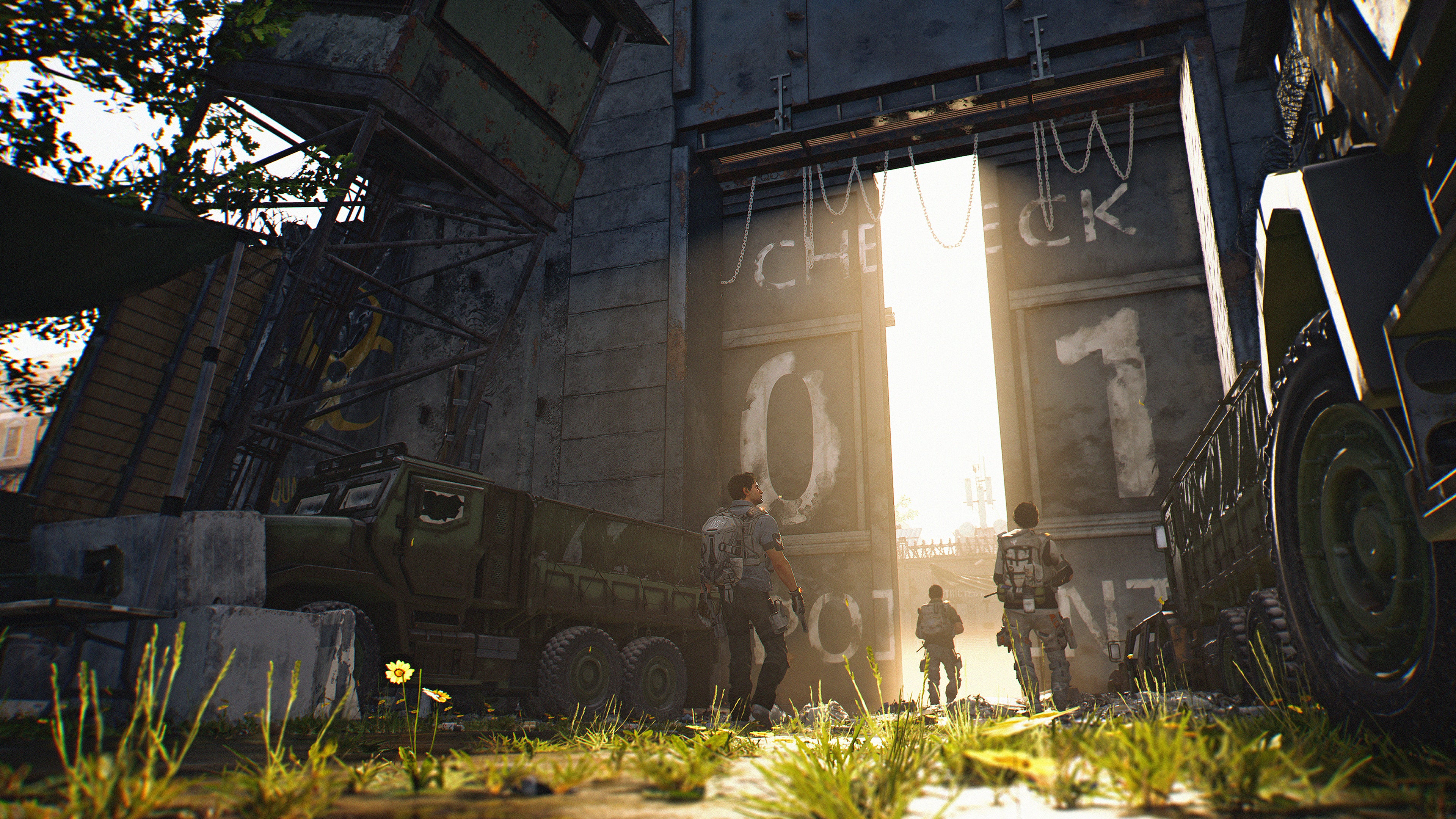
The opening hours are great, or at least they play great. The Division 2 starts big, with an assault on the White House. You’re hoping to break through enemy lines, link up with friendly forces at the White House, and then use it henceforth as your base of operations. It’s a bit cheesy, sure, but it definitely sets the tone. You’re here to save America. You’re a hero.
And you feel like that kick-ass hero as you run across the White House lawn. It’s a marked change from The Division, where guns typically felt like they fired marshmallows. In The Division 2 you’re deadly, mowing down enemy after enemy in just a few shots. This is still a shooter-RPG hybrid, but there’s less of that dissonant feeling where you shoot and shoot and shoot some guy in a hoodie and he just refuses to go down.
At least at first. When we broke for lunch, I was feeling pretty good about The Division 2—again, the playing it parts. The story, whatever, but the moment-to-moment action felt pretty good. It was definitely an improvement over the original and its mushy shooting.
Then we started the end-game mission. Set in the National Air and Space Museum, it’s another fantastic use of Washington, D.C. landmarks, culminating in a fight inside the powered-on planetarium. It’s easily as memorable as the standout Times Square mission in the original, and one of the few moments from our demo that I’m looking forward to playing a second time.
…Except the guns weren’t nearly as satisfying. Somewhere in the transition between early-game and end-game, the snappy and super-deadly feel of The Division 2’s guns went away, replaced by the same bullet sponge shooting from the previous iteration. It’s most likely the fault of the faction we were fighting, the Black Tusks, a pseudo-military force kitted out with all the same body armor and electronics as the player. They’re a step up from the ragtag militias you fight at the beginning of the game.
But I had a lot more fun fighting those militias. The Black Tusks are more tedious than challenging, forcing you into the same slow stop-and-pop routine as the first game. Armored enemies don’t even start to take damage until you’ve dumped an entire magazine of ammo into them and busted some armor off. It turned what should’ve been an exciting mission into a slog.
The tension was further undermined by a fondness for so-called “monster closets.” I thought we’d mostly left that design crutch behind, but The Division 2 loves nothing more than letting you think you finally cleared a room, only for three doors to pop open and more reinforcements to come barreling out. At one point we spent upward of 10 minutes defending a single room, Black Tusks trickling in two or three at a time until all I heard over the headset were exasperated sighs and “Wow, more of them?” from my group.
I left feeling much more tepid than I did at lunch. I guess what I want from The Division is still a third-person shooter with some light RPG elements, and what I feel like Ubisoft’s making (again) is an RPG with guns. That’s not necessarily a losing proposition. Destiny, for instance is one of the most satisfying shooters I’ve ever played period, despite heavy RPG elements. I’m just not convinced The Division 2 can hit the same balance. The original certainly didn’t.
The Division 2
That said, the infrastructure around the shooting has received a major upgrade. Loot drops seem more interesting, with a tier of powerful end-game items to collect and lots of re-rollable stats to keep gear fiends happy. You also get a loot box (of sorts) at every level—I wouldn’t be surprised if Ubisoft originally planned to sell these, before 2017’s grand loot box controversy. It’s a solid addition though, giving you some appropriately leveled gear as soon as you rank up instead of forcing you to scrounge.
And there’s just so much to do. That’s the one thing I can’t really convey in this article, and that Ubisoft couldn’t convey even in six hours. The breadth of content in The Division 2 seems pretty staggering, with main story missions a small fraction of what’s on offer. After completing the first two story missions we immediately unlocked something like a half-dozen side tasks, some of which felt just as long as mainline content. Given the complaints that The Division felt “thin” at release, I think Ubisoft’s determined not to repeat that mistake. If anything, we’re likely to see it lean more toward Ghost Recon: Wildlands, packed full of generic bloat for no real reason.
Bottom line
We’ll see how I feel after 30 or 40 (or more) hours. As I said up top, even these all-day events somehow don’t cover enough to draw any hard conclusions about games this sprawling. I think it plays better than The Division, but I’m still a bit unsure even of that of after an hour or two of playing end-game content.
There’s a beta-demo at least, if you’re hoping to form your own opinion. I wouldn’t recommend you pre-order any game, but doing so gets you guaranteed beta access from February 7 to 10. Otherwise you can sign up here for the chance to get a spot. Couldn’t hurt, right?
Regardless, we’ll be back sometime around March 15 with our final review. Or, you know, whenever we’re done with Anthem’s very-similar-feeling loot grind.
To comment on this article and other Haveaheartsavealife content, visit our Facebook page or our Twitter feed.
In early 18th century England, a frail Queen Anne occupies the throne and her close friend, Lady Sarah, governs the country in her stead. When a new servant, Abigail, arrives, her charm endears her to Sarah.
The story of Dick Cheney, an unassuming bureaucratic Washington insider, who quietly wielded immense power as Vice President to George W. Bush, reshaping the country and the globe in ways that we still feel today.
Ron Stallworth, an African American police officer from Colorado Springs, CO, successfully manages to infiltrate the local Ku Klux Klan branch with the help of a Jewish surrogate who eventually becomes its leader. Based on actual events.
Director:
Spike Lee
Stars:
John David Washington,
Adam Driver,
Laura Harrier
In 1962, Tony “Tony Lip” Vallelonga, a tough bouncer, is looking for work with his nightclub is closed for renovations. The most promising offer turns out to be the driver for the African-American classical pianist Don Shirley for a concert tour into the Deep South states. Although hardly enthused at working for a black man, Tony accepts the job and they begin their trek armed with The Negro Motorist Green Book, a travel guide for safe travel through America’s racial segregation. Together, the snobbishly erudite pianist and the crudely practical bouncer can barely get along with their clashing attitudes to life and ideals. However, as the disparate pair witness and endure America’s appalling injustices on the road, they find a newfound respect for each other’s talents and heart to face them together. In doing so, they would nurture a friendship and understanding that would change both their lives. Written by Kenneth Chisholm (kchishol@rogers.com)
-Mahershala Ali responded with an apology to Shirley’s nephew, Edwin Shirley III, saying that “I did the best I could with the material I had” and that he was not aware that there were “close relatives with whom I could have consulted to add some nuance to the character.” Writer-director Peter Farrelly said he was under the impression there “weren’t a lot of family members” still alive, that they did not take major liberties with the story, and that relatives he was aware of had been invited to a private screening for friends and family. Jazz artist Quincy Jones said to a crowd after a screening: “I had the pleasure of being acquainted with Don Shirley while I was working as an arranger in New York in the ’50s, and he was without question one of America’s greatest pianists … as skilled a musician as Leonard Bernstein or Van Cliburn … So it is wonderful that his story is finally being told and celebrated. Mahershala, you did an absolutely fantastic job playing him, and I think yours and Viggo’s performances will go down as one of the great friendships captured on film.” On January 14, 2019, NBA Hall of Famer Kareem Abdul-Jabbar published a piece in The Hollywood Reporter defending Green Book despite its alleged historical inaccuracies. Abdul-Jabbar argued that “(w)hile such discrepancies (about the historicity of some of the depicted events) may irk family members, they don’t really matter because those plot details are about getting to a greater truth than whatever the mundane facts are.” See more »
Goofs
Tony talks to the stage manager in Indiana and complains about the piano not being a Steinway. Tony mentions Dr. Shirley’s name and tells him he is the performer. The stage manager says “who is that?” and then makes a racial slur a few seconds later, but no one told him Dr. Shirley was black. See more »
Quotes
Dr. Don Shirley:
So where did this “Tony the Lip” moniker come from?
Tony Lip:
[laughs]
It’s not “Tony the Lip”, it’s “Tony Lip”. One word. I got it when I was a kid ’cause my friends said I was the best bullshit artist in the Bronx.
“Larry the Crow” gets a mention. This was an actual crow that Viggo Mortensen found injured near the set, and tried in vain to nurse back to health. He was no doubt named for Viggo’s favorite soccer team, San Lorenzo (Saint Lawrence in Spanish). The team nickname is “The Crows”. See more »
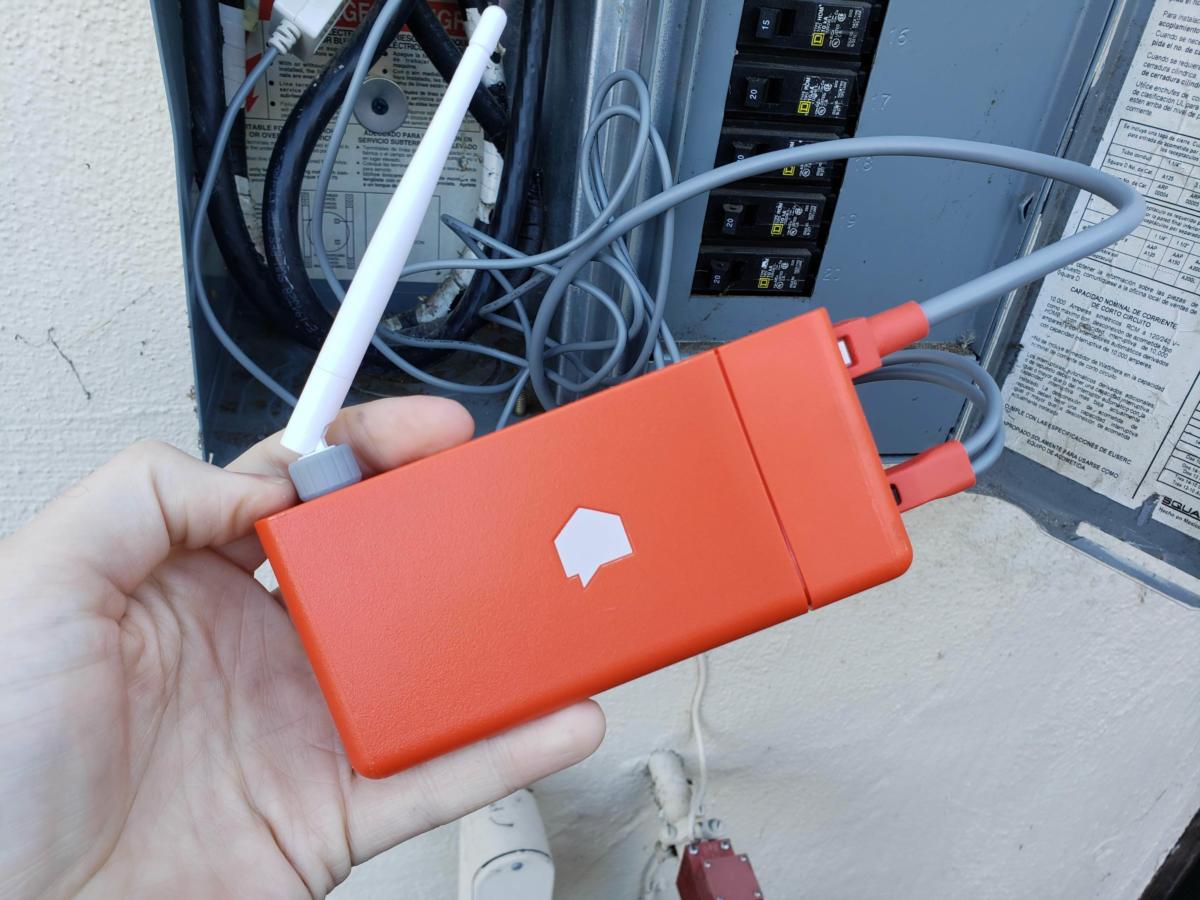
Sense is a bright-orange box that sits in your electrical breaker box and gives in-depth insight into your home’s entire power usage. The whole system is quite clever and—thankfully—free of any monthly charges. But it learns very slowly, and that’s likely to frustrate you.
Sense works by electromagnetically listening to the power flowing along the two hot wires that run from your electric meter to your breakers. By measuring the current flow a million times each second, Sense can observe changes in load with precise detail and, based on a machine-learning database, attempt to identify the footprint of different devices from the noise they generate.
This means it can tell you exactly how much energy different appliances in your house use, and it does all of this without requiring sensors or smart plugs on each device. Or at least, that’s the simple theory that disguises a very complex process.
Martyn Williams/IDG
The main Sense unit that you install at your main electrical panel.
Installation
Installation is pretty easy and you can do it yourself if you’re not scared of opening up your electrical panel to expose the primary power lines coming into your home from your utility. Power for the Sense unit can be directly tapped inside the breaker box—just be sure to cut the power before doing this. But for the record, Sense says ”the safest route is for a licensed electrician to do the install.”
The device senses electricity flow through a couple of sensors that encircle the two service cables incoming from your utility. Sense has a slightly higher-priced model ($349) for homes with solar systems. It comes with two extra sensors that measure the electricity flowing from your panels, so it can compare the amount of electricity your solar panels are producing compared to the amount of electricity your home is consuming. But it depends on your solar power inverter being connected to your breaker box, versus being connected directly to your utility meter.
Sense needs to be added to your Wi-Fi network, and Sense supplies an external Wi-Fi antenna should the signal be too weak inside the metal breaker box. Installing the external antenna is simple if your box is surface-mounted: Just run the wire though one of the box’s existing punch-outs. This will be slightly more complicated if the box is recessed into the wall, but the whole thing is generally well thought out.
Martyn Williams/IDG
Sense’s sensors clamp onto the main power cables coming into your circuit breaker.
Sensing my electricity use
It’s quite exciting to first launch the Sense app and watch your home’s electricity consumption in real time. You’ll probably spend a lot of time in the app in the first few days watching the system react as you switch appliances on and off.
I quickly learned, for example, that an older set of incandescent fixtures in my bathroom drew an impressive 180 watts—quite a contrast to the LED lighting in the rest of my house.
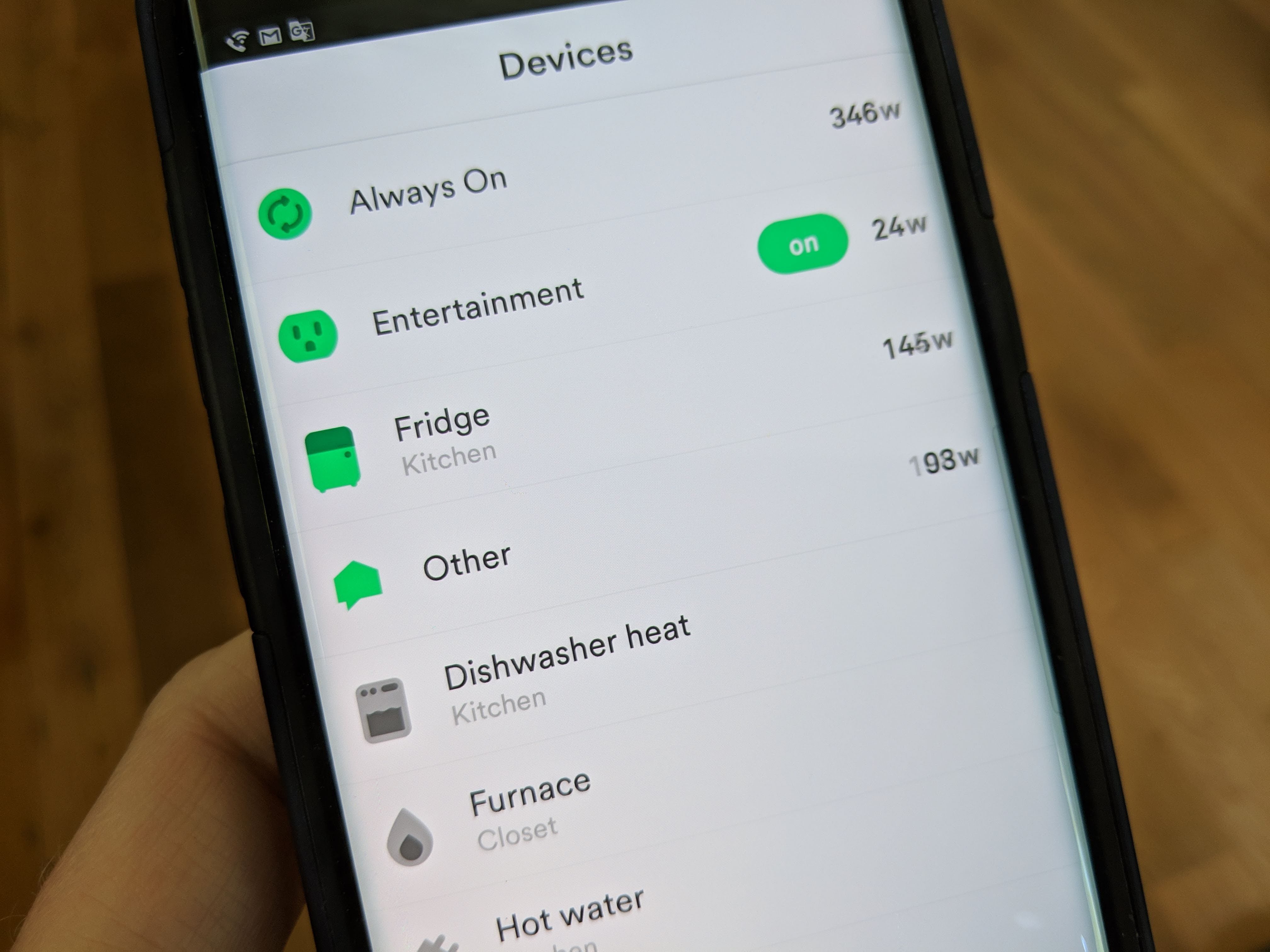
But perhaps the most interesting part is all the stuff that’s always drawing power. The so-called phantom power that your home consumes all the time, day and night without a break. It’s electronics on standby, the clock on your oven, power adapters trickle-charging batteries, and the like.
My always-on consumption is 299 watts—remarkably close to the average 288 watts consumed across all Sense homes—and it can become quite a game to try and reduce this. After all, it’s costing me about $30 per month and is slightly less than a third of my entire home’s electricity consumption. It would be great to reduce it.
As Sense gets to know your home, it starts to spot the power patterns of specific appliances. This process takes at least a week to begin, and so far it’s identified nine things, including my refrigerator, hot water heater, rice cooker, those power-hungry bathroom lights, my furnace, and the oven. But it hasn’t identified anything else and that’s frustrating.
It seems incredibly simple. When I switch on a light, I see the power consumption increase, so why can’t Sense figure it out? Apparently I’m not alone in thinking this: The Sense support forums have lots of people griping about the slow pace of discovery.
At CES in January, I had a chance to sit down with Sense CEO Mike Phillips and I asked him about this. He also wishes it could be faster and explained it’s a lot more complicated than it looks.
First, the only thing Sense can see is everything together. It doesn’t have the knowledge I do, such as when I’m switching on a light or programming the microwave. To me, it’s obvious these things are happening, but it’s not at all obvious to Sense. It must figure out individual patterns from the complete energy draw of my home.
Phillips told me it’s a bit like listening to a room full of people talking and trying to figure out what each person is saying. At first it’s just noise. Some appliances have tell-tale fingerprints—the equivalent of, say, a distinctive accent in the room full of people—that make them easier to spot, but most aren’t so easy to distinguish.
To make this wait a little easier, Sense recently added compatibility with TP-Link Kasa and Wemo Insight smart plugs. These are devices that plug into your wall and then your appliances plug into them.
These smart plugs can switch power on and off, but they can also perform their own power-consumption measurements and can talk directly to Sense. If you have a single device plugged in, such as a microwave, then you can label it as such in Sense. It will also add the device’s signature to its database that is shared among all Sense users.
Data from devices
At its most basic level, Sense will provide a running total of the amount of electricity your home is using. But things get more interesting once it starts detecting devices.
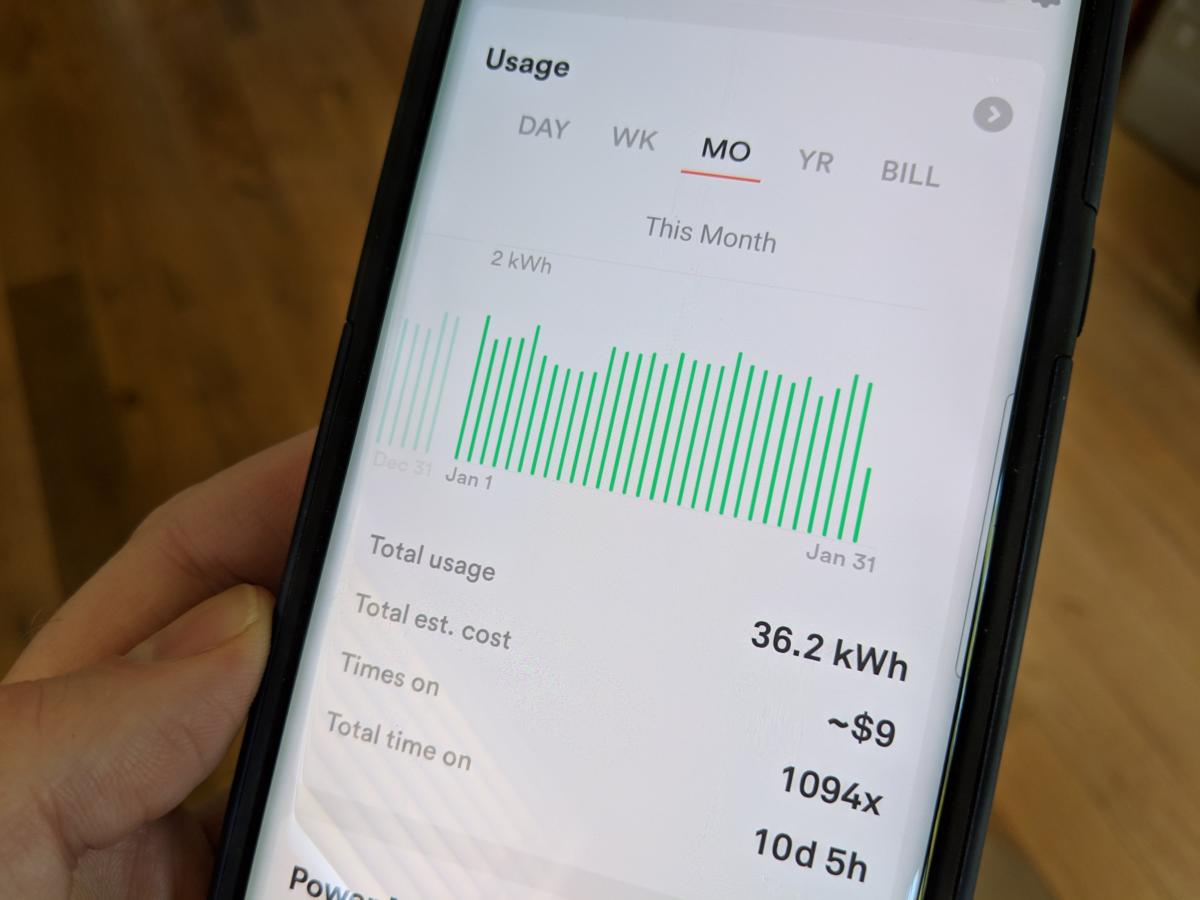
Sense will track usage at the device level and provide a handy summary showing how much each one contributes to your monthly energy usage, the cost of the electricity it consumes—as long as you’ve provided the app with your electricity price—and a graph of how many times per day it comes on.
Martyn Williams/IDG
Another view of electricity consumption data on the Sense app.
You can also set notifications to pop up when a device turns on or off, and you can add a custom alert for when something is on of off for more than a certain amount of time. For example, I have an alert set if my refrigerator is off for more than an hour.
Martyn Williams/IDG
You can set up custom alerts to warn you when devices have been running for unusually long periods of time.
Smart home integration
During the time I was testing it, Sense added Google Assistant integration to its existing Amazon Alexa skill. Both offer the ability to quiz Sense via voice commands, such as “Is my washing machine on?” or “How much electricity am I using” or “How much solar am I generating.”
Martyn Williams/IDG
You can incorporate Sense with various smart home devices.
Conclusion
Despite the frustrating pace of automated discovery, the Sense unit is still quite useful. With a bit of manual detective work, you’ll be able to figure out what a bunch of appliances use in your house and track down where all that phantom power is going.
It has the potential to save you money month after month through lower electricity bills, and so it should. It’s difficult to justify the $299 price tag otherwise.
Perhaps the most exciting thing about Sense is what it could become. More users will mean more data and better detection of devices. And with that could come much more advanced notifications, such as not just telling you something is switching on or off but telling you of potential faults that are developing before they become expensive nightmares.
To comment on this article and other TechHive content, visit our Facebook page or our Twitter feed.
Six years after the events of “Wreck-It Ralph,” Ralph and Vanellope, now friends, discover a wi-fi router in their arcade, leading them into a new adventure.
The Incredibles hero family takes on a new mission, which involves a change in family roles: Bob Parr (Mr Incredible) must manage the house while his wife Helen (Elastigirl) goes out to save the world.
Director:
Brad Bird
Stars:
Craig T. Nelson,
Holly Hunter,
Sarah Vowell
A Lion cub crown prince is tricked by a treacherous uncle into thinking he caused his father’s death and flees into exile in despair, only to learn in adulthood his identity and his responsibilities.
Directors:
Roger Allers,
Rob Minkoff
Stars:
Matthew Broderick,
Jeremy Irons,
James Earl Jones
During her family’s move to the suburbs, a sullen 10-year-old girl wanders into a world ruled by gods, witches, and spirits, and where humans are changed into beasts.
The special bond that develops between plus-sized inflatable robot Baymax, and prodigy Hiro Hamada, who team up with a group of friends to form a band of high-tech heroes.
Miles Morales is a New York teen struggling with school, friends and, on top of that, being the new Spider-Man. When he comes across Peter Parker, the erstwhile saviour of New York, in the multiverse, Miles must train to become the new protector of his city. Written by Tom Daly
Spider-Man: Into the Spider-Verse (2018) marked Spider-Man’s debut theatrical animated feature, both from Marvel Entertainment and Sony Pictures Animation. However, Big Hero 6 (2014) was released in 2014, sans Marvel Entertainment’s involvement with the project; that film was exclusively a Walt Disney Pictures production in spite of the original property being a Marvel I.P. (intellectual property). See more »
Goofs
Miles’ dad is a patrolman in Brooklyn, where he lives, giving Miles a ride to work, etc. But, when the villains show up at Aunt May’s house, which is ‘somewhere in Queens’, he picks it up on the radio and drives over. See more »
Quotes
[first lines]
Peter Parker:
[narrating]
Alright, let’s do this one last time. My name is Peter Parker. I was bitten by a radioactive spider and for ten years I’ve been the one and only Spider-Man. I’m pretty sure you know the rest. I saved a bunch of people, fell in love, saved the city, and then I saved the city again and again and again… And, uh… I did this.
[shot of Spidey doing the emo dance from “Spider-Man 3”]
Peter Parker:
We don’t really talk about this. Look, I’m a comic book, I’m a cereal, did a Christmas album…
There is a dedication in the closing credits to “Spider-Man” creators Stan Lee and Steve Ditko, who passed away in 2018.
It is an image of Stan Lee’s glasses with a quote: “That person who helps others simply because it should or must be done, and because it is the right thing to do, is indeed without a doubt, a real superhero. Thanks to Stan Lee and Steve Ditko, for showing us we’re not the only ones.” See more »
Mary Mary
Written by Michael Nesmith
Performed by Run-D.M.C. (as Run-DMC)
Courtesy of RCA Records
By arrangement with Sony Music Entertainment See more »
If you’ve been wondering whether you should pick up a new charger for your phone, the answer is yes. Amazon and AnkerDirect are running a one-day saleRemove non-product link of wall chargers, cables, USB hubs, and power banks, with many deals at all-time lows. Here are our favorites.
First up is the Anker USB-C Hub for $50Remove non-product link down from $100 and the first time this new hub has been discounted. This device should really be called the smorgasbord hub, because it’s got a little bit of everything. There are a pair of USB-C ports (one supports charging, the other only data), SD and microSD card readers, two USB 3.0 ports, and an HDMI port. This device is a great option for laptops that don’t offer a lot of ports and need a dongle to get the job done (we’re looking at you, Apple).
Next up is a USB-C PowerPort Speed+ Duo wall charger for $20Remove non-product link instead of $26, also a first-time discount. With an additional 12W type-A port for charging a wide variety of devices, this USB-C charger offers a 30-watt charge so you can use it to power up a laptop. Anker also loaded this wall charger with PowerDelivery and PowerIQ, both of which help deliver the fastest possible charging to your devices.
Finally, for anyone who hasn’t grabbed a wireless charger for their iPhone or Android phone yet, you can pick up Anker’s Qi-compatible wireless charger for $17Remove non-product link down from $30 and an all-time low. This charging puck features an LED ring to let you know when it’s active, a non-slip material on the top, and a USB-C input port. It also supports 10W fast charging but not out of the box. You’ll need to also buy Anker’s Quick Charge 3.0 wall charger, which is available for $14.Remove non-product link
[Today’s deals: Anker Charging Accessories one-day sale on AmazonRemove non-product link]
To comment on this article and other Haveaheartsavealife content, visit our Facebook page or our Twitter feed.
Ian is an independent writer based in Israel who has never met a tech subject he didn’t like. He primarily covers Windows, PC and gaming hardware, video and music streaming services, social networks, and browsers. When he’s not covering the news he’s working on how-to tips for PC users, or tuning his eGPU setup.




 The Division 2
 The Division 2
 The Division 2
 The Division 2
 The Division 2

 Martyn Williams/IDG
 Martyn Williams/IDG
 Martyn Williams/IDG
 Martyn Williams/IDG
 Martyn Williams/IDG
 Martyn Williams/IDG


 Rayden Reviews